
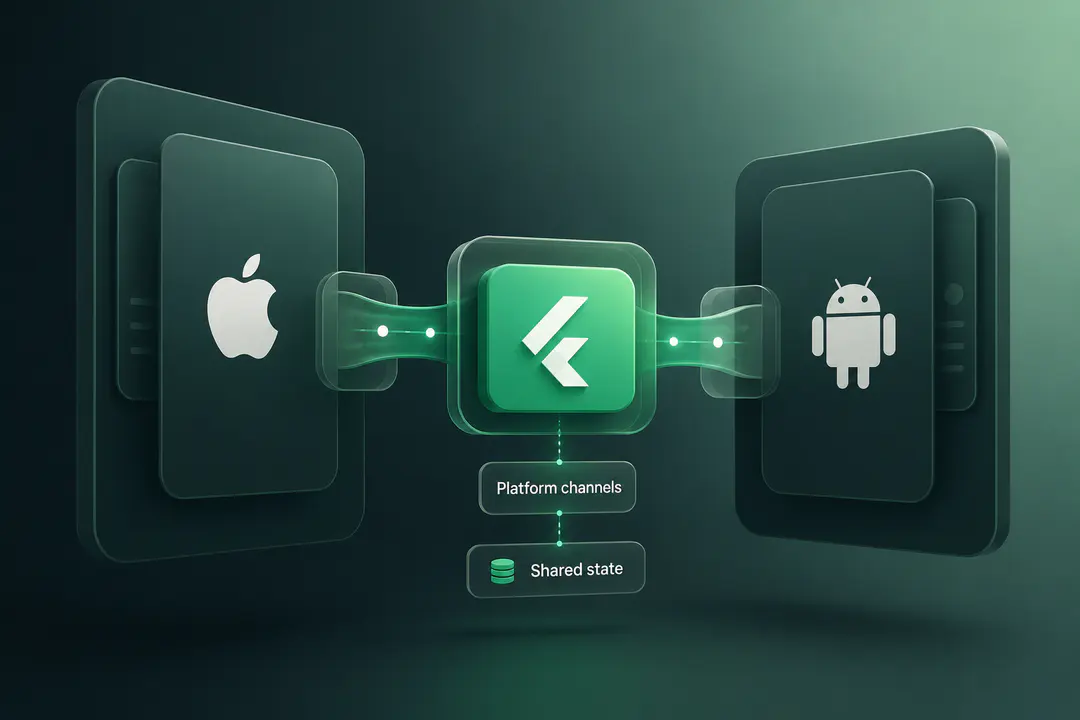
Most companies considering Flutter already have an iOS or Android app in production. The Flutter docs are written for the textbook case, where you start clean and ship cross-platform from day one. The actual job for most engineering teams is the brownfield case: you have a native codebase, real users, scheduled releases, and a question about whether Flutter belongs inside it.
Flutter's answer to this is add-to-app, a set of mechanisms for embedding Flutter as a module inside an existing native app rather than rewriting from scratch. This guide covers what add-to-app actually is, the engineering costs you inherit when you adopt it, the architecture decisions that determine whether the integration ships cleanly, and the migration sequence that keeps the existing app stable while Flutter is being introduced.
Adding Flutter to an existing native app is done through Flutter's add-to-app mechanism, which embeds Flutter as a module rather than replacing the host app. There are three integration paths: a Gradle subproject on Android, CocoaPods on iOS, or pre-built AAR and framework artifacts for both platforms. The approach works well for adding self-contained Flutter screens to a stable native app, but it carries real costs: an initial binary size increase of roughly 25 to 50 megabytes, additional cold start time on Android, and the operational overhead of running two build pipelines and two debug environments. The architecture decisions that matter most are how you manage the FlutterEngine lifecycle, whether you use a single engine or FlutterEngineGroup, and how you design platform channels for type-safe communication across the boundary.
What Flutter Add-to-App Actually Is
Flutter add-to-app is the official mechanism for integrating Flutter into an existing iOS or Android codebase. Instead of producing a standalone Flutter application, you compile your Dart code into a module that the host native app embeds. The native app remains in charge of its lifecycle, navigation root, and platform integrations. Flutter handles only the screens or features you choose to give it.
There are three ways to integrate the module, each with different operational tradeoffs.
Module as a Gradle Subproject (Android) or CocoaPods Dependency (iOS)
The default approach is to keep the Flutter module as source inside or alongside the native project. On Android, the host app references the Flutter module as a Gradle subproject. On iOS, the module is exposed via CocoaPods. The native build picks up the Flutter source and compiles everything together.
This model gives you the fastest iteration loop. Hot reload works for Flutter screens, the Flutter team can make changes without coordinating a separate artifact release, and there is exactly one source of truth for the code. The cost is that every native developer on the team needs Flutter and Dart installed locally, even if they never write a line of Dart. For teams with five native developers and one Flutter developer, this trades a 30-minute setup for everyone against a continuous compile-time tax for the Flutter team.
Pre-Built AAR (Android) and XCFramework (iOS)
The alternative is to compile the Flutter module into a binary artifact and have the native app consume it like any other third-party dependency. The Flutter team produces an AAR for Android and an XCFramework for iOS, publishes them to a repository, and the native app pins to a version.
This isolates the build pipelines completely. Native developers do not need Flutter installed. The Flutter team owns its own release cadence. The cost is that the iteration loop becomes slow: every Flutter change requires a rebuild and republish of the artifact, and debugging across the boundary becomes harder because the native side only sees compiled code.
Which Integration Model to Choose
The integration model depends on team structure more than on technology. If the same engineers maintain both the native app and the Flutter module, keep it as source. If the Flutter work is owned by a separate team that ships on its own cadence, use pre-built artifacts. The hybrid case, where some developers work on both sides, almost always pushes teams back toward the source model after the first month, because the artifact rebuild loop becomes the bottleneck.
When Adding Flutter to an Existing App Makes Sense
Add-to-app is the right call in a specific set of scenarios. The pattern across them is that Flutter solves a clear problem in a contained area of the app, and the native app is stable enough that introducing a second framework does not destabilise the rest of the codebase.
The five scenarios that consistently work in practice:
- A single feature needs to ship on both platforms simultaneously. A loyalty programme, a new onboarding flow, a settings centre that has to launch on iOS and Android the same week. Building it once in Flutter saves the parallel-track problem.
- A custom UI section is too expensive to maintain in two native codebases. Animation-heavy screens, complex form builders, real-time dashboards. The maintenance burden in Swift and Kotlin separately exceeds the cost of running Flutter inside the app.
- The team wants to evaluate Flutter before committing to a full rewrite. Add-to-app gives a low-risk path to ship one feature in Flutter, measure performance and team velocity in production, and decide based on evidence rather than estimation.
- Existing native code is stable but feature velocity has stalled. If the native app works fine but adding new features takes weeks because of platform parity issues, Flutter for new features lets the existing code stay untouched while net-new development happens once.
- A web team needs to ship mobile. Flutter's learning curve for engineers who already work in component-based UI frameworks is shorter than a full native ramp-up. Embedding their work into the existing native shell is faster than building a parallel native team.
If none of these match, add-to-app is probably the wrong tool. A small native app with two engineers maintaining it is rarely worth the integration complexity. A team that needs to keep the app native for compliance, deep platform integration, or specialised hardware reasons should stay native and revisit cross-platform later.
The Engineering Costs You Inherit
The Flutter docs cover the integration mechanics. They are less direct about the costs that come with running Flutter inside a native app. Four matter for a production decision.
Binary Size Impact
Adding Flutter to an existing app is not free in download size. LeanCode documented that adding a small Flutter module with a few screens, some assets, and a limited number of pub libraries increased their app size by 27 megabytes on iOS and 48 megabytes on Android. That is the floor, not the ceiling. Adding more Flutter packages, more assets, or larger Dart code expands the binary further.
The Android delivery format matters. Apps distributed as legacy APKs ship every architecture binary to every user, so the full size increase hits every install. Apps distributed as Android App Bundles (AAB) are sliced by Google Play, so each device only downloads the architecture it needs. The same module that adds 48 megabytes to a universal APK adds roughly 12 to 16 megabytes to a per-device AAB install. If your Android pipeline is still on universal APK, switching to AAB before adding Flutter is the right sequence. The Play Store has required AAB for new apps since August 2021, but apps that predate that requirement are sometimes still on APK.
On iOS, additional binary size is harder to optimise because the Flutter engine is compiled into the framework as a unit. The 27-megabyte initial overhead reflects the engine itself, plus the Dart AOT-compiled module code.
For apps where install conversion rate is sensitive to size, particularly in markets with limited bandwidth or storage, this is a meaningful product decision, not just an engineering one.
Cold Start Regression on Android
A more recent issue worth knowing about: the Flutter team has been investigating a significant cold start and warm start regression on Android related to Impeller, the modern rendering backend that became default. Production teams upgrading across recent Flutter versions have reported visible cold start spikes after the change, with the issue tracked publicly as flutter/flutter#175577. The Flutter engine team has flagged it as a performance concern and is working on it, but it is not yet fully resolved across all device classes.
For a brownfield app, this matters because the perceived launch speed of the entire app, including the native parts that have nothing to do with Flutter, can degrade when Flutter is added. The size of the regression varies by device. Older Android devices and lower-tier hardware see the largest impact. If you are adding Flutter to an app where launch time is a tracked metric, measure cold start before and after the integration on a representative range of devices, not just on the engineering team's flagship phones.
The mitigation is partly tactical (pre-warming the FlutterEngine in advance of when it is needed) and partly waiting for engine fixes. Neither is fully satisfying. Plan for a cold start budget when you scope the integration.
FlutterEngine Lifecycle and Memory
Every Flutter screen runs inside a FlutterEngine. By default, an embedding creates one engine per Flutter view. Running multiple Flutter screens in different parts of a native app means running multiple engines, and each engine consumes memory and CPU resources.
Flutter introduced FlutterEngineGroup specifically to address this. Engines spawned from a FlutterEngineGroup share GPU context, font metrics, and isolate group snapshots, which significantly reduces the per-engine overhead. For any app that hosts more than a single Flutter screen across the navigation stack, FlutterEngineGroup is the default to use. The single-engine model is appropriate only when you have exactly one Flutter screen and never plan to add another.
There is one open caveat worth flagging. A known iOS memory issue with FlutterEngineGroup has been reported in flutter/flutter#156802, where memory consumption on iOS does not stabilise the way the documentation suggests. The bug is being tracked but has not been fully resolved. If your app is memory-constrained, particularly on older iPhones, profile the integration with Instruments early rather than discovering it after launch.
Platform Channels: The Native-Flutter Boundary
Communication between the native side and the Flutter module happens over platform channels. A platform channel is a named, asynchronous message bus that lets Dart code call into native code and vice versa. Method channels carry one-shot calls, event channels handle streams.
Platform channels work, but they are not type-safe by default. Both sides serialise messages as platform-agnostic data structures, and any mismatch between what one side sends and the other expects fails at runtime, not at compile time. For anything beyond trivial integrations, the standard is to use Pigeon, Flutter's official code generator that produces type-safe wrappers from a single schema definition. Pigeon is not optional for production add-to-app integrations. Skipping it produces a boundary that breaks subtly when either side changes a parameter type.
Beyond type safety, three patterns matter:
- Errors must be handled on both sides. A native call that throws needs to surface as a Dart exception with a useful message. Silently dropping errors at the boundary is the most common platform channel bug.
- Long-running native operations must be async. Blocking the platform channel handler blocks the Flutter UI thread. Native async patterns (Kotlin coroutines, Swift async/await) need to be adapted to the platform channel response shape.
- State synchronisation across the boundary needs a single source of truth. If the native app and the Flutter module both think they own user authentication state, they will disagree under race conditions. Pick one side as the source and have the other observe.

Architecture Decisions That Matter
Two decisions made early determine how cleanly the integration ships.
Single Engine Versus Multiple Engines
If the Flutter module owns one screen that is a leaf in the navigation graph, a single FlutterEngine is the simplest model. The native app pushes the FlutterViewController or FlutterActivity, the user interacts, and the native app pops back when done.
If the Flutter module owns multiple screens that can appear at different points in the navigation stack, or partial views that coexist with native views on the same screen, you need FlutterEngineGroup. The reason is that a single engine cannot maintain independent navigation state for two visible Flutter views simultaneously. Each engine has its own internal navigation, isolate, and state. Trying to multiplex one engine across multiple visible surfaces produces state bleed and unpredictable behaviour.
The Flutter team's official sample demonstrates the FlutterEngineGroup pattern for both platforms and is the right starting point.
Asset Sharing
Flutter modules can declare assets that bundle into the module. If the native app already has versions of those assets, you have a choice: ship them twice or share them. Asset sharing between native and Flutter works on iOS, where the Flutter module can reference assets from the host iOS bundle directly. On Android, this is not yet supported in the same way. Assets typically have to be duplicated or accessed through platform channels at runtime.
For apps with large shared asset sets, particularly icons, fonts, and images used in both the native and Flutter parts, this is a real source of binary bloat. The pragmatic mitigation is to keep the Flutter module's assets minimal and rely on the host app's resources where possible, even at the cost of some platform channel plumbing.
State Management Across the Boundary
The Flutter module and the native app each have their own state. User authentication, app configuration, current route, feature flags, all of these can live in either place, and integrations break when both sides assume they own the state.
The pattern that ships most cleanly: the native app is the source of truth for app-wide state. The Flutter module observes via platform channels. If the user logs out in the native app, the native app sends an event over a channel and the Flutter module reacts. If the Flutter module needs to know whether a feature flag is enabled, it asks the native app rather than maintaining its own copy. This concentrates state ownership and avoids the cross-boundary disagreement that produces hard-to-reproduce bugs.
There is one exception. State that exists only inside a Flutter screen, such as form input on a Flutter-only flow, can stay in the Flutter module. Pulling it out across the boundary unnecessarily adds latency and complexity.
Add-to-App vs Full Rewrite in Flutter
If you have decided Flutter is the right framework, the next question is whether to go incremental or commit to a full rewrite. The decision rarely turns on technology. It turns on the shape of the existing codebase and the risk profile of the team.
| Choose Add-to-App If | Choose Full Rewrite If |
|---|---|
| The native app is stable and well-tested | The native app is fragile, undertested, or has high bug volume |
| You need to ship Flutter features in production within 2 to 3 months | You can absorb a 9 to 18 month rewrite without shipping new features |
| Native expertise on the team is strong and shouldn't be displaced | Native maintenance burden is already high and growing |
| The app has clear, separable feature areas | The app's architecture is tangled and rewriting one feature pulls in many others |
| You want to evaluate Flutter under real production load before committing | You have already evaluated Flutter and the decision is settled |
| Binary size budget can absorb 25 to 50 MB initial increase | A clean Flutter app gives smaller final binary than native + Flutter combined |
| The team can run two build pipelines | The operational overhead of dual pipelines is not acceptable |
Most teams that go incremental do so for the right reasons but underestimate the long tail. Add-to-app is not a temporary state. The integration tax of running both stacks compounds over time. Plan for either committing to it as a long-term architecture or having an explicit timeline to complete the migration.
What Brownfield Flutter Migration Looks Like in Practice
The migration that ships cleanly follows a predictable shape, even when the specifics differ.
The first step is choosing the right first feature. The wrong choice is the most important screen in the app, because if anything goes wrong in production it affects the highest-stakes user journey. The right choice is a self-contained feature that is valuable enough to justify the integration work but not load-bearing for the business. A new settings section, an onboarding flow update, a feature flag-gated experiment. Something that can be turned off if it misbehaves.
The second step is setting up the Flutter module and the integration scaffolding. This is mostly mechanical: configure the Gradle subproject or CocoaPods dependency, set up Pigeon for platform channels, decide single-engine versus FlutterEngineGroup, get the first round-trip "Hello from Flutter" working. The work here is well-trodden, and the Flutter docs cover it directly.
The third step is shipping the first feature behind a feature flag. The flag matters. If the Flutter integration causes a cold start regression on certain device classes, or if the FlutterEngineGroup memory issue surfaces on iOS, you want a kill switch. Production telemetry on launch time, memory, and crash rate, segmented by whether the Flutter feature is enabled, gives the data needed to validate before broader rollout.
The fourth step is expanding. Once the first feature is stable, the integration scaffolding is paid for and the second and third features go faster. This is also when the FlutterEngineGroup decision pays off. If you set up a single engine assuming you would only ever have one Flutter screen, adding a second forces a rework.
The fifth step, often skipped, is documenting the boundaries. Which parts of the app are native, which are Flutter, how state crosses between them, what the Pigeon contracts are. New team members on either side will struggle to understand the architecture without this. Brownfield apps without integration documentation become harder to evolve as the team that built it rotates out.
Five Mistakes That Sink Brownfield Flutter Projects
These come up consistently across publicly documented add-to-app migrations and the engineering literature on the topic.
1. Choosing the most important screen first. The first Flutter feature in production should not be the screen users hit twenty times a day. Start with something contained. A bug in the integration on a load-bearing screen is a P0 incident. The same bug on a settings page is a fix-tomorrow problem.
2. Skipping Pigeon for platform channels. Hand-rolled platform channels work in demos and break in production. Pigeon's compile-time type checking is the difference between a stable boundary and a class of bugs that only surface when one side ships a change and the other does not.
3. Defaulting to a single FlutterEngine. It is easier to set up and the docs lead you there for the simple case. Six months later, when the second Flutter screen needs to coexist with the first, you rework the engine architecture under time pressure. Pick FlutterEngineGroup early if there is any chance of more than one Flutter screen.
4. Not measuring cold start and binary size before shipping. Both regressions are real. Both are often invisible on engineering team devices. Both are visible on the lower-tier devices many of your users actually have. Production metrics from real devices are the only way to catch this in time.
5. Treating add-to-app as temporary without a plan. Teams adopt add-to-app intending to fully migrate to Flutter "next quarter" and find themselves running both stacks two years later. That is fine if it is intentional. It is expensive if it happens by accident. Either commit to the dual-stack architecture or set a real timeline for completing the migration.
Wrapping Up: What Matters Most When Adding Flutter
Adding Flutter to an existing native app is well-trodden engineering work, but it is not free. The integration mechanics are documented and stable. The costs (binary size, cold start, platform channel overhead, the FlutterEngine memory model) are predictable when you know to look for them and surprising when you do not.
The teams that ship brownfield Flutter cleanly make a small number of decisions early: pick the right first feature, choose FlutterEngineGroup over single-engine if there is any chance of multiple Flutter screens, use Pigeon for platform channels, and measure cold start and binary size on representative devices before broader rollout. None of these are exotic. They are the basics, applied with discipline.
If you are evaluating Flutter for an existing iOS or Android app and want a second opinion on architecture, integration model, or migration sequence, take a look at how we approach Flutter app development.
Frequently Asked Questions
How do I add Flutter to an existing iOS or Android app?
You add Flutter as a module that the native app embeds. On Android, this is typically a Gradle subproject. On iOS, it is a CocoaPods dependency. The native app keeps control of its lifecycle and navigation root, and Flutter handles only the screens or features you assign to it. The Flutter team's official add-to-app documentation covers the setup mechanics for both platforms.
What is Flutter add-to-app?
Add-to-app is Flutter's mechanism for embedding the framework inside an existing native iOS or Android app rather than replacing it. It allows teams to introduce Flutter incrementally, ship one or more Flutter screens within a native shell, and avoid a full rewrite while gaining cross-platform benefits for selected features.
Should I add Flutter to my existing app or rewrite it?
Add-to-app is the right call when the existing native app is stable, you need to ship Flutter features in production within a few months, and the app has clear feature areas that can be migrated independently. A full rewrite is more appropriate when the native codebase is fragile, the team can absorb a multi-quarter rewrite without shipping new features, or the operational overhead of running two build pipelines is not acceptable.
How much does Flutter add-to-app increase binary size?
Initial integration typically adds 25 to 50 megabytes to the app, depending on platform and Flutter packages used. iOS sees a smaller increase because the Android build inflates more before AAB optimisation. Android App Bundle delivery, which slices binaries by device architecture, reduces the per-user download to roughly 12 to 16 megabytes.
What is the difference between Flutter brownfield and greenfield?
A greenfield Flutter project is one started fresh in Flutter, with no existing native code. A brownfield Flutter project is one where Flutter is added to an existing native app. The mechanics, tradeoffs, and team structure are different. Brownfield projects use add-to-app, run two build pipelines, and require platform channels for native-Flutter communication.
How does adding Flutter affect cold start time?
Adding Flutter typically increases cold start time on Android, particularly on lower-tier devices. A known regression related to the Impeller rendering backend has been reported in flutter/flutter#175577 and is being actively worked on by the Flutter engine team. Pre-warming the FlutterEngine before it is needed can mitigate part of the impact. Measure cold start on representative devices before and after integration.
Can I use Flutter for just one screen in my native app?
Yes. A single Flutter screen embedded in a native navigation flow is the simplest add-to-app integration. It uses one FlutterEngine and works well for self-contained features. If you ever plan to add a second Flutter screen, set up FlutterEngineGroup from the start to avoid reworking the engine architecture later.
Procedure Team
Engineering Team
Expert engineers building production AI systems.