
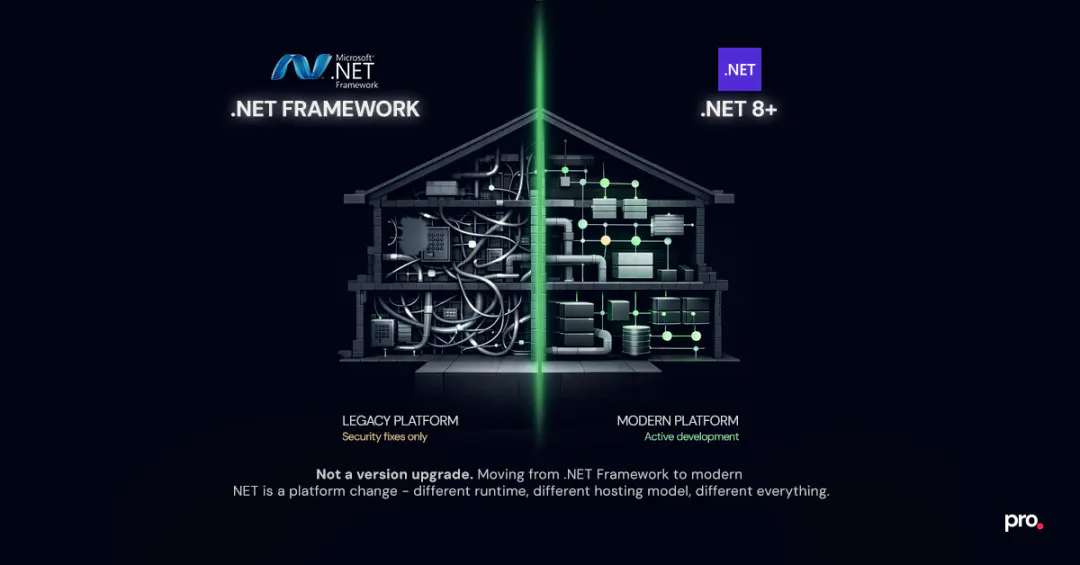
Some codebases are like a house where every renovation reveals something else that needs fixing. You open one wall and find wiring that is out of code. Fix the wiring, find the plumbing runs through the same wall. The original structure is solid. But the layers of decisions made across a decade mean nothing in the codebase lives in isolation.
Migrating a .NET Framework codebase to modern .NET can feel exactly like this.
Migrating from .NET Framework to modern .NET is not a version upgrade. You are moving to a different runtime: different hosting model, different configuration system, and several technologies that were core to how .NET Framework applications were built but simply do not exist on the other side. What changes, what breaks, and what surprises teams mid-migration is the part that rarely gets documented honestly.
Should You Migrate from .NET Framework? Here Is the Honest Answer
.NET Framework is not going away. Microsoft has committed to security and reliability fixes for as long as it ships with Windows. The last feature release was 4.8. Version 4.8.1, released in August 2022, added ARM64 support and is the final version of .NET Framework. Microsoft has confirmed no further feature releases are planned. That is the end of the roadmap: no new features, no performance improvements, no cloud-native capabilities.
For teams running stable internal tools with no containerization plans and a codebase in genuine maintenance mode, staying put is defensible. The platform will keep running.
For everything else, three things have shifted the calculus:
- Ecosystem drift. Modern cloud tooling, AI libraries, and most relevant packages now assume .NET 6 or later. Running on Framework means building workarounds for an increasing number of integration gaps.
- Infrastructure cost. .NET Framework is Windows-only. No Linux hosting. No containers without significant gymnastics. Teams on modern .NET can containerize and scale for meaningfully less.
- Hiring. Engineers who want to work on .NET Framework are a shrinking pool, and the ones who do know it well often will not take a role that moves them backward.
The question for most production applications is not whether to migrate. It is how to scope it without getting surprised.
.NET 8 or .NET 10: Which Version to Target?
For most teams starting a migration now, .NET 8 is the right target. It is the current LTS release, the ecosystem is settled, and package support is at its broadest. Migrations of six to twelve months finish on a supported version.
.NET 10 is the next LTS (available now, supported through 2028) and the right target if your timeline runs long or you want the most headroom before the next upgrade cycle. The hard migration work from .NET Framework is the same either way. WCF decisions, WebForms rebuilds, EF Core deltas: none of that changes based on whether you land on 8 or 10.
One thing worth stating directly: do not let version selection delay the decision to start. If you migrate to .NET 8 and .NET 10 ships before you finish, upgrading from 8 to 10 is a small project compared to the jump from Framework.
What Changes When You Move from .NET Framework to Modern .NET
The key framing: you are not updating a version number. You are moving to a different runtime.
.NET Framework ships as part of Windows, runs on the CLR, and has a global install model. Modern .NET runs on CoreCLR, installs side-by-side per application, and is cross-platform. They share C# and a large subset of APIs. They are not the same platform.
| Area | .NET Framework | Modern .NET |
|---|---|---|
| Project files | Legacy .csproj, enumerates files | SDK-style, auto-discovery |
| Configuration | web.config / app.config | appsettings.json, Options pattern |
| Dependency injection | Optional, usually external (Autofac, Unity) | Built into ASP.NET Core, foundational |
| Hosting | IIS + HTTP modules/handlers | Kestrel + middleware pipeline |
| Runtime install | Machine-wide, one version | Side-by-side, per application |
| Linux/containers | Not supported | First-class |
The hosting model shift deserves attention. HTTP modules and handlers have no direct equivalent in ASP.NET Core. The replacement is middleware, but the mapping is not one-to-one for complex authentication or request manipulation logic. Teams that assume this part will be mechanical are the ones who get caught.
What Breaks in a .NET Framework Migration (and Why It Costs More Than Scoped)
Not everything breaks equally. These four categories account for most of the migration hours and the most common timeline surprises.
1. WCF (Windows Communication Foundation)
WCF server-side was not ported to modern .NET. CoreWCF covers standard binding scenarios but is not feature-complete. Anything using distributed transactions, message queuing, or complex custom bindings requires an architectural decision, not a package swap. WCF is the single most common reason migrations double their estimates.
2. ASP.NET WebForms
There is no migration path. The postback model, ViewState, and code-behind architecture do not exist in modern .NET. Business logic is usually portable. The UI has to be rebuilt. Treat this as a product rebuild scoped separately from the rest of the migration.
3. Entity Framework 6 to EF Core
EF Core was a rewrite, not a port. Most queries work, but lazy loading behavior, complex inheritance mappings, and raw SQL patterns via Database.SqlQuery behave differently enough that every non-trivial query needs testing. The delta shows up under real data distributions, not always in test suites.
4. Windows-only APIs
AppDomains, .NET Remoting, BinaryFormatter, and parts of System.Drawing are either removed or Windows-only. Each requires a deliberate replacement:
| Removed API | Replacement |
|---|---|
| AppDomains | AssemblyLoadContext |
| .NET Remoting | gRPC or REST |
| BinaryFormatter | JSON or protobuf serialization |
| System.Drawing (cross-platform) | ImageSharp or SkiaSharp |
BinaryFormatter is worth flagging specifically. It was removed for security reasons. If it is in your codebase, it is the first thing to address before anything else compiles cleanly on modern .NET.
WCF Migration Options: CoreWCF, gRPC, or REST
WCF is the decision point that defines cost and timeline for any migration involving service-oriented components. No single right answer, but a clear framework for choosing:
CoreWCF is right when your services use standard bindings without distributed transactions or complex custom security. You preserve SOAP contracts, clients do not change, and the migration stays close to a package swap. The tradeoff is a community project dependency that does not cover the full WCF surface.
gRPC is right for internal services where you control both client and server and performance matters. HTTP/2-based, faster than SOAP, strong .NET tooling. Cost: rewriting service contracts as proto files and updating all clients. Worth it for clean-boundary services, its own project for a large mesh.
REST API is right for external-facing services or anywhere broad client compatibility matters more than performance. Contracts change and clients need updating, but the result is simpler, easier to test, and easier to maintain than WCF ever was.
For most teams: CoreWCF for services that need to keep running immediately with minimal disruption, gRPC or REST for services where contract renegotiation is on the table. Running both paths in parallel during migration is lower risk than a single cutover.

ASP.NET WebForms Has No Migration Path. Here Is What Teams Do Instead.
WebForms cannot be migrated incrementally. The architecture is too tightly coupled to System.Web and the postback model. Three approaches work in practice:
Rebuild the UI, keep the logic. Port the domain logic, data access, and service integrations to modern .NET. Rebuild the UI in ASP.NET Core MVC, Razor Pages, or Blazor. Works well when the UI layer is thin and the value is in the logic beneath it.
Strangler Fig. Build new features in modern .NET alongside the existing WebForms application. A reverse proxy routes traffic to old or new based on path. The new system absorbs the old over time. Slower, but the right call for large applications where a full rebuild would disrupt operations.
Modernize behind WebForms. Extract business logic into .NET Standard 2.0 libraries shared with other modern .NET projects, while keeping WebForms on .NET Framework 4.8. You stay on Framework for the UI, but reduce the blast radius and build toward eventual migration. A pragmatic middle ground when the rebuild cannot be justified yet.

For systems where downtime is not an option, the Strangler Fig approach is what we use at Procedure's .NET modernization practice.
.NET Framework Migration Costs Teams Usually Miss
Most migration estimates account for the technical work. These are the costs that show up after the estimate is already committed.
Team ramp time. Engineers who have spent years on .NET Framework need time to internalize DI-first design, the ASP.NET Core middleware model, and the Options configuration pattern. It is not a syntax change. It slows every sprint during the transition and almost never shows up in the initial scope.
CI/CD pipeline changes. New SDK versions on build agents. New base images in Dockerfiles. Deployment scripts that assumed IIS configuration. Canary infrastructure to run two versions simultaneously. This work is real and rarely in scope when someone writes the first timeline.
Parallel running. The safest migration approach is running old and new systems simultaneously during cutover. One documented migration caught eight behavioral bugs during two weeks of parallel running that passed all automated tests. That two weeks costs real infrastructure and engineering time.
NuGet dependency audit. Enterprise codebases accumulate packages over years. Not all have modern .NET equivalents. This audit belongs in the discovery phase, before a timeline is committed.
The consistent pattern: initial estimates run 1.5 to 2x short once these costs are factored in. A discovery phase is not optional overhead. It is what makes the estimate credible.
Realistic Timelines by Codebase Type
| Codebase | Typical Range | Main Driver |
|---|---|---|
| Modern .NET (Core 3.1 / .NET 5/6) → .NET 8 | 1-2 weeks | Project files + package updates |
| .NET Framework 4.x, no WCF or WebForms | 2-4 months | Testing + CI/CD + EF Core validation |
| .NET Framework 4.x with WCF services | 4-7 months | WCF architectural decisions |
| WebForms UI + .NET Framework backend | 6-12+ months | UI is a product rebuild |
These ranges apply to mid-sized codebases (roughly 50K to 200K lines) with typical dependencies. Adjust for test coverage, how many of the four hard-breaking categories apply, and team familiarity with modern .NET patterns.
How to Scope a .NET Framework Migration Without Getting Surprised
The migrations that succeed share one framing: a defined start, a defined end, and a handoff to a team that owns a modern .NET codebase. Not technical debt management that bleeds into every sprint.
Migrations that spiral past budget share a pattern: skip discovery, underestimate WCF, try to migrate everything at once.
If your team does not have the bandwidth to run a migration alongside regular product commitments, bringing in .NET engineers on a staff augmentation basis absorbs migration risk while your team keeps shipping. That is the value, not superior .NET knowledge.
Migrations that land on schedule share one thing: someone ran a proper discovery phase before the timeline was written. If your team is at that stage with a legacy .NET codebase, talk to our .NET team and scope it honestly before anything is committed.
Procedure Team
Engineering Team
Expert engineers building production AI systems.