
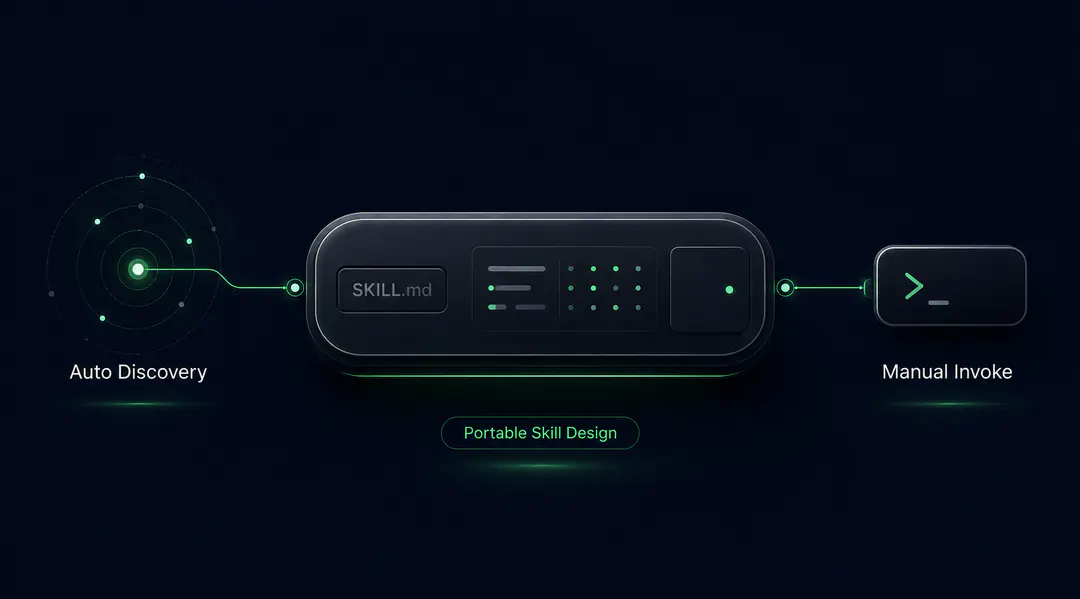
After writing a Django serializer last week, something happened that I didn't trigger. No command typed, no mention of code review. Claude Code had matched my conversation context against a skill's description field, loaded the code review skill on its own, and flagged two issues in my diff before I'd even opened a PR.
That same SKILL.md file in the Cursor would have done nothing until I explicitly called it with a slash command. Cursor primarily relied on manual invocation, but recent updates now allow it to automatically invoke relevant skills based on context. In practice, this means you can still invoke skills explicitly, but Cursor is increasingly capable of loading them when it determines they’re relevant.
After six months of running both tools daily on the same Django REST Framework healthcare codebase, the way each platform handles skill invocation has caused more friction than the SKILL.md format itself. This post breaks down how Claude Code skills and CursazAor skills differ in practice, and how to write a single SKILL.md that works well in both.
How Claude Code Automatically Loads Skills
In Claude Code, the description field in YAML frontmatter isn't just documentation. It's routing logic. The system continuously matches your conversation context against every available skill's description. When the match is strong enough, the skill loads and runs without any explicit command.
This means the description you write directly controls when your skill fires. A description like "Review code for quality, consistency, security, and codebase patterns" will trigger after you write or modify code in a healthcare API context. You can also force invocation with /code-review, but automatic matching is the defining behavior that sets Claude Code apart from Cursor and most other tools.
The allowed-tools field is sometimes treated as a runtime restriction, but in practice, it's marked experimental in the spec and implemented inconsistently across tools - Claude Code honours it as a pre-approval list, the Claude Agent SDK ignores it entirely, and other runtimes vary. Treat it as a discovery hint rather than a security boundary, and enforce real tool restrictions at the runtime level. The Anthropic skills documentation covers how progressive disclosure works alongside tool configuration.
What Happens When Two Skill Descriptions Overlap
Overlapping descriptions in auto-discovery runtimes cause double-firing — two skills load on the same context, two overlapping reports come back, and the token bill doubles. The fix is exclusive trigger domains: one skill owns structural quality, another owns PHI detection, no shared keywords. We walk through the full anecdote and the fix in Real Token Costs and 4 Failure Patterns.
In any runtime that auto-discovers, treat descriptions like a routing table. Overlapping routes cause collisions.
How Cursor Handles Skill Invocation
Cursor initially took a manual-first approach, where skills were explicitly invoked using commands like /code-review. Cursor would inject the SKILL.md as a system message, and the AI agent would follow it deterministically.
With recent updates, Cursor can now also discover and invoke relevant skills automatically based on context. Manual invocation remains a core interaction pattern, but the system is evolving toward a hybrid model that combines explicit control with context-aware execution.
This makes the argument-hint field especially important in manual-invocation flows. When users explicitly trigger a skill, they need to know what to pass. Even as tools adopt automatic invocation, clear argument hints remain critical for predictable and correct usage, for example: [file_path or "git diff"].
The upside of Cursor's manual-first roots is predictability: explicit invocation gives developers control over when a skill fires. The downside is discoverability — you rely on developers knowing which skills exist and when to call them. With automatic loading now supported, Cursor is moving toward the same overlap risks as Claude Code: a broadly-scoped skill can now fire when it shouldn't, wasting tokens on requests it has no business handling. A README in your .agents/skills/ directory that documents each skill's purpose and its trigger scope helps teams navigate both modes.
Where Gemini, Codex, and Other Tools Compare
The split between automatic and manual invocation isn't just a Claude Code vs Cursor distinction. It's a broader pattern across AI coding agents.
Many tools historically followed a manual invocation model, but newer implementations now support automatic discovery and invocation based on context. Systems like GitHub Copilot and OpenCode reflect this broader shift toward auto-discovery models inspired by the Anthropic specification.
Automatic context routing is strongly associated with Claude Code, but it is no longer unique to it. Several modern agent systems now support automatic skill discovery and invocation based on context. The practical takeaway: design for both manual and automatic invocation. As systems increasingly support context-aware loading, skills should be scoped precisely enough to work reliably when auto-invoked, while remaining clear and usable when triggered explicitly.
Design Rules for One SKILL.md That Works Everywhere
Most teams don't want to maintain separate skill files for each platform. The goal is a single SKILL.md that works well whether the invocation is automatic (Claude Code) or manual (Cursor and others).
Whether you're evaluating Cursor vs Claude Code or already using both, here's how the design decisions differ:
| Design decision | Claude Code | Cursor / Others |
| Description field | Routing logic. Be precise, narrow | Primarily documentation-driven, but increasingly used for context-aware invocation |
| Overlap risk | High. Shared keywords cause double-firing | Lower, but growing as auto-invocation becomes more common |
| argument-hint | Less critical (context-matching handles it) | More critical (user needs to know what to pass) |
| allowed-tools | Pre-approves tools but not a security boundary | Varies by tool |
| Token cost risk | Skills can auto-load unnecessarily | Auto-load now supported; overlap risk lower than Claude Code but growing |
Three rules that satisfy both platforms:
Keep the description narrow and specific. This prevents over-firing in Claude Code while still being useful documentation in Cursor. "Expert backend guidance" will burn tokens in Claude Code and confuse Cursor users about when to call it. "Validate Django migrations for safety before applying" works in both: it fires on migration context in Claude Code, and a Cursor user reading it knows exactly when to type /migration-safety.
Always include an argument hint. Claude Code can work without it, but Cursor users depend on it.
Set allowed-tools to the minimum required. Treat the field as documentation and a discovery hint, regardless of platform - for actual security against injected instructions, configure tool access at the runtime level. A code review skill should be configured for Read, Grep, Glob, and Bash, not Write or Edit, so the runtime denies file modification regardless of what the SKILL.md or any injected content says. The Agent Skills open standard covers the full list of supported fields.
How Token Costs Differ Between Platforms
The invocation model directly affects how many tokens you spend. This is one of the biggest practical differences when comparing Claude Code vs Cursor for skill-based workflows.
In Claude Code, a broadly-scoped skill can auto-load on conversations where it isn't needed. Across a day of coding with 15+ available skills, unnecessary loads add up quickly. This is why narrow descriptions aren't just good practice in Claude Code. They're cost control.
In Cursor, costs are generally tied to explicit invocation, but with automatic skill loading now supported, there can also be additional usage when the system determines a skill is relevant. In practice, this still gives developers more control and predictability compared to aggressively auto-invoking systems.
For both platforms, skill size matters. Lightweight skills (under 150 lines) can afford to auto-load. Heavier skills that pull in reference files from the references/ directory need explicit invocation or very precise trigger descriptions. If your skills connect to external services through MCP servers, the token cost includes the tool call overhead on top of the skill itself.
Practical Recommendations by Platform
If your team uses Claude Code: Audit your skill descriptions quarterly. Run common tasks and check which skills auto-load. If a skill fires when it shouldn't, narrow the description. Treat this like maintaining a routing table.
If your team uses Cursor: Build a quick reference listing each skill, its purpose, and when to call it. Even with automatic loading, discoverability remains a challenge — the README in your .agents/skills/ directory helps teams know what exists and when to rely on context-aware invocation versus calling explicitly.
If your team uses both: Design for Claude Code's strictness (narrow descriptions, explicit allowed tools), then add clear argument hints for Cursor users. The same SKILL.md works in both if scoped correctly. If you're still deciding how to structure your first skill, How to Build AI Agent Skills That Work in Production covers the full build process, including a real production output example.
At Procedure, our engineers build and deploy AI agent systems for production workloads, including skill architectures and MCP integrations for teams running Claude Code, Cursor, and other tools in production.
The invocation behavior described here is based on daily use as of April 2026. Platform updates may change specific behaviors. Test with your target tool before relying on automatic invocation in production workflows.
If you found this post valuable, I’d love to hear your thoughts. Let’s connect and continue the conversation on LinkedIn.
Mangesh Bide
Guest Author
Mangesh Bide is a software engineer working on Django backends, AI agent tooling, and cloud infrastructure for healthcare. Day-to-day, that's migrations, audit trails, Terraform, and the bugs that only show up in production.