
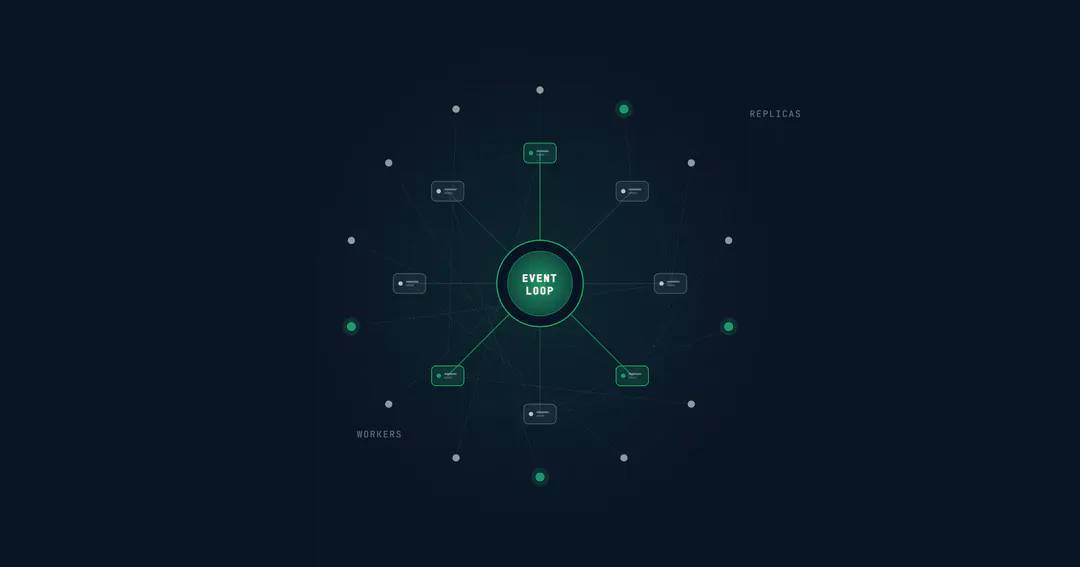
A single Node.js process on a decent machine handles more concurrent connections than most teams realise. The event loop, non-blocking I/O, and V8's JIT compilation mean you can serve thousands of requests per second from one process without breaking a sweat. That is the part everyone knows.
The part that gets less attention is what happens when a single process is no longer enough. Not because Node.js is slow, but because your database connections are exhausted, a PDF generation endpoint is blocking the event loop for 800ms, or a memory leak you have been ignoring for months finally takes down a production pod at 2 AM.
This guide covers the architecture patterns that take a Node.js API from "works on my machine" to "handles 10x traffic without a page." In the order you should think about them.
How to Scale a Node.js Application for Production Traffic

Node.js performance in production depends less on the runtime and more on the order you address bottlenecks. The scaling sequence is predictable: fix what is blocking the event loop first, use all available CPU cores second, offload heavy computation third, and scale horizontally last. Most teams jump to horizontal scaling before addressing the first three steps, which means they are running more copies of a broken architecture.
The highest-leverage pattern is profiling before scaling. A single --inspect session with the Node.js built-in profiler will tell you whether your bottleneck is CPU, I/O, memory, or external services. The fix that matches the bottleneck is the only one worth applying.
The Event Loop Is Your Ceiling: Understanding Node.js Performance
Every Node.js performance problem traces back to one question: is the event loop blocked?
Node.js runs JavaScript on a single thread. When a request arrives, Node.js picks it up from the event queue, executes the associated JavaScript, and moves to the next event. If any single operation takes too long (synchronous file reads, heavy JSON parsing, image processing, complex regex on large strings), every other request in the queue waits.
This is not a design flaw. It is a deliberate tradeoff that makes I/O-heavy workloads extremely efficient. A single Node.js API server can maintain tens of thousands of idle TCP connections with minimal memory overhead because there is no thread-per-connection cost. The tradeoff is that CPU-bound work in the main thread degrades everyone.
The practical threshold: any synchronous operation that takes more than 50ms is a problem. At 100ms, you start losing the concurrency advantage entirely. The event loop becomes a bottleneck, not an accelerator.
To monitor this in production, track the event loop lag metric. Libraries like Clinicjs provide visual profiling. The built-in perf_hooks module exposes monitorEventLoopDelay() for programmatic tracking. If your p99 event loop lag exceeds 100ms, you have a blocking problem that no amount of horizontal scaling will fix.
Using All Your Cores: The Cluster Module and PM2
A single Node.js process uses one CPU core. A production server with 8 cores is wasting 87.5% of its compute capacity unless you run multiple processes.
The cluster module is Node.js's built-in answer. A primary process forks worker processes (one per core), and the OS distributes incoming connections across them. Each worker is a full Node.js process with its own memory space and event loop.
const cluster = require('node:cluster');
const os = require('node:os');

if (cluster.isPrimary) {
  const cpuCount = os.cpus().length;
  for (let i = 0; i < cpuCount; i++) {
    cluster.fork();
  }
  cluster.on('exit', (worker) => {
    console.log(`Worker ${worker.process.pid} exited. Restarting...`);
    cluster.fork();
  });
} else {
  require('./app'); // your Express/Fastify app
}
In practice, most teams use PM2 instead of writing cluster logic directly. PM2's cluster mode handles process management, automatic restarts on crash, log aggregation, and zero-downtime reloads with a single command: pm2 start app.js -i max. The -i max flag spawns one process per available core.
What breaks when you cluster:
- In-memory state. Sessions stored in a variable, rate limit counters in memory, WebSocket connection maps: all of these are per-process. Process A has no idea what process B is holding. Move shared state to Redis or a database.
- Sticky sessions. If your application uses server-side sessions, you need session affinity (the load balancer sends the same user to the same process) or an external session store. Redis with
connect-redisis the standard approach. - Graceful shutdown. When deploying new code, you need to drain existing connections before killing a worker. PM2 handles this with
--kill-timeout, but your application needs to listen forSIGTERMand stop accepting new connections.
Clustering is the single highest-impact scaling step for most Node.js applications. It is free (no infrastructure changes), and it typically multiplies throughput by the number of available cores.
With clustering and worker threads covering CPU utilization, the next bottleneck is usually outside the Node.js process itself.
Worker Threads: Offloading CPU-Bound Work
Clustering distributes incoming requests across cores. Worker threads solve a different problem: keeping the event loop free when a specific operation is CPU-intensive.
Use cases where worker threads are the right pattern:
- Image processing. Resizing, compression, format conversion using Sharp or Jimp. A single image resize can block the event loop for 200 to 500ms.
- PDF generation. Rendering HTML to PDF with Puppeteer or PDFKit. Complex documents can take 1 to 3 seconds of CPU time.
- Data transformation. Parsing large CSV files, transforming XML, aggregating datasets. Anything that involves iterating over thousands of records synchronously.
- Cryptographic operations. bcrypt hashing (which already uses a thread pool internally, but custom crypto might not), token generation with heavy entropy requirements.
const { Worker } = require('node:worker_threads');

function runInWorker(data) {
  return new Promise((resolve, reject) => {
    const worker = new Worker('./heavy-task.js', {
      workerData: data
    });
    worker.on('message', resolve);
    worker.on('error', reject);
  });
}

// In your route handler
app.post('/reports/generate', async (req, res) => {
  const result = await runInWorker(req.body);
  res.json(result);
});
The key insight: do not create a new worker thread per request. The overhead of spinning up a V8 isolate is significant. Use a worker thread pool (libraries like Piscina handle this) that keeps a fixed number of threads warm and routes tasks to them.
Of the Node.js design patterns that matter at scale, worker thread pooling is one of the most underused. If you have any endpoint that takes more than 100ms of synchronous CPU time, that endpoint is a candidate. Profile first, move the computation to a worker, and measure the improvement.
Connection Pooling: The Scaling Problem Nobody Talks About
Database connections are the most common hidden bottleneck in Node.js applications at scale. Here is why.
A typical PostgreSQL server handles 100 to 200 concurrent connections before performance degrades. A single Node.js process with the pg driver defaults to a pool of 10 connections. That is fine for one process. Cluster across 8 cores, and you need 80 connections from one server. Add three application servers and you are at 240 connections, already past the comfort zone.
The fix is not "increase max_connections on PostgreSQL." That trades one problem (connection exhaustion) for another (each connection consumes roughly 10MB of memory on the database server, and context switching between hundreds of connections degrades query performance).
What actually works:
Start by right-sizing the pool per process. For most APIs, a pool of 5 to 10 connections per process is sufficient. Set max based on this formula: total_db_connections / number_of_processes. If your database handles 200 connections and you run 16 processes across two servers, each process gets a pool of 12.
Once pools are sized correctly, add a connection pooler. PgBouncer sits between your application and PostgreSQL, multiplexing thousands of application-side connections into a smaller number of actual database connections. In transaction pooling mode, a connection is only held for the duration of a transaction, not for the lifetime of the application connection. This is the standard approach for Node.js applications running at scale with PostgreSQL.
Two smaller details that matter: set idleTimeoutMillis (in the pg pool config) to 30 seconds so idle connections release database resources, and track pool.totalCount, pool.idleCount, and pool.waitingCount in your metrics. If waitingCount is regularly above zero, requests are queuing for database connections, and you need to either increase the pool or improve slow queries.
For large datasets, database partitioning strategies can also reduce per-query connection hold times by narrowing the data each query touches.
Caching: Reducing Load Before It Reaches Your Database
The cheapest request is the one you never make. Caching at the right layer reduces database load, cuts response times, and extends how far a single set of infrastructure can go.
Application-level caching with Redis. Cache the results of expensive queries, computed aggregations, or third-party API responses in Redis. A cache-aside pattern works for most APIs: check Redis first, query the database on a miss, write the result back to Redis with a TTL.
async function getUser(userId) {
  const cached = await redis.get(`user:${userId}`);
  if (cached) return JSON.parse(cached);

  const user = await db.query('SELECT * FROM users WHERE id = $1', [userId]);
  await redis.set(`user:${userId}`, JSON.stringify(user), 'EX', 300);
  return user;
}
Beyond application-level caching, two infrastructure layers can absorb load before requests reach your Node.js process. HTTP caching with proper Cache-Control headers lets CDNs and browser caches serve public API responses without hitting your server at all. Nginx or Cloudflare in front of your API can cache entire responses for static or semi-static endpoints: product catalog pages, configuration endpoints, and public data feeds.
One caution: not everything should be cached. User-specific data with short validity, real-time state (WebSocket messages, live scores), and write-heavy endpoints where cache invalidation complexity exceeds the performance benefit are poor candidates. A stale cache that serves wrong data is worse than no cache at all.
With caching in place, the next question is what happens when a single machine is no longer enough.
Horizontal Scaling: Adding More Machines
Once you have exhausted vertical improvements (event loop health, clustering, worker threads, connection pooling, caching), horizontal scaling is the next step. Add more application servers behind a load balancer.
Statelessness is the prerequisite. If your application stores any state in process memory (sessions, caches, upload buffers), that state needs to move to an external store before you can scale horizontally. Redis for sessions and caches. S3 or equivalent for file uploads. A database for anything persistent.
Load balancer options:
- Nginx for simple round-robin or least-connections distribution. Handles SSL termination, static file serving, and reverse proxy in one layer. The most common production setup for Node.js APIs.
- AWS ALB / GCP Cloud Load Balancing for cloud-native deployments with auto-scaling groups. Health checks, automatic instance replacement, and integration with container orchestrators.
- Kubernetes Ingress if you are already running on Kubernetes. Your Node.js pods scale horizontally based on CPU, memory, or custom metrics. Horizontal Pod Autoscaler handles this natively.
Health checks matter. Your load balancer needs to know which instances are healthy. Implement two endpoints:
/health/live: returns 200 if the process is running. No dependency checks. This tells the orchestrator the process is alive./health/ready: returns 200 if the application can serve traffic (database connected, cache reachable, dependencies available). This tells the load balancer to route traffic.
Separating liveness from readiness prevents a common failure mode: a temporarily unreachable database causing the load balancer to kill healthy application instances, turning a database blip into a full outage.
Node.js Performance Monitoring in Production: What to Track and Why
Node.js application performance monitoring starts with knowing what is slow, what is failing, and what is about to break before your users tell you.
Layer 1: Application metrics.
Track these with Prometheus and visualise in Grafana:
- Event loop lag (p50, p95, p99). The single most important Node.js-specific metric. If it spikes, something is blocking.
- Active handles and requests. High handle count with low request count indicates connection leaks.
- Memory usage (RSS, heap used, heap total, external). A slowly growing heap that never shrinks indicates a memory leak. Compare
heapUsedagainstheapTotalto see how much headroom you have before GC pressure increases. - HTTP request duration by route (p50, p95, p99). Aggregated latency hides problems. Per-route percentiles expose the slow endpoints.
- Error rate by status code. Track 4xx and 5xx separately. A spike in 5xx is an incident. A spike in 4xx might be a client-side deployment.
Layer 2: Infrastructure metrics.
CPU, memory, disk I/O, network I/O per server or pod. These tell you when to scale horizontally (CPU consistently above 70%) or investigate (disk I/O spikes during compaction).
Layer 3: Distributed tracing.
For Node.js microservices, OpenTelemetry with Jaeger or Tempo traces requests across services. When a user reports a slow page load, you need to see whether the bottleneck is in the API gateway, the Node.js service, the database, or a downstream dependency.
If you are new to observability tooling, our guide to logs, metrics, and traces covers the foundational concepts these tools build on.
The minimum viable monitoring setup: the prom-client library exporting metrics to Prometheus, Grafana dashboards for the metrics above, and alerting on event loop lag > 100ms, error rate > 1%, and memory usage > 80% of limit. Everything else is useful but optional.
Five Mistakes That Break Node.js APIs at Scale
These come up consistently across production Node.js systems:
1. Storing state in process memory. Works perfectly with one process. Breaks silently with clustering or horizontal scaling. The fix is covered in the clustering section above: move sessions, rate limits, and cached data to Redis or a database from day one.
2. Ignoring memory leaks until they cause outages. A leak that grows at 1MB per hour is invisible in development and catastrophic in production. The process gets OOM-killed after 40 hours, restarts, and starts leaking again. Use --max-old-space-size to set explicit limits, and monitor heap growth trends in Grafana.
3. Synchronous operations in hot paths. fs.readFileSync, JSON.parse on large payloads, crypto.pbkdf2Sync: any synchronous call in a request handler blocks the entire event loop. The async equivalents exist for a reason. Use them.
4. No connection pooling or wrong pool sizes. Default pool settings work for development. In production with clustering, the defaults exhaust database connections. Right-size pools based on actual process count and database capacity.
5. Scaling horizontally before fixing the event loop. Adding more instances of a process with a 200ms event loop lag gives you more instances of a slow API. Fix the blocking operation first. Then scale.
When Node.js Is Not the Right Tool
Node.js excels at I/O-heavy workloads: API servers, real-time applications (WebSocket, SSE), BFF layers, and microservices that primarily shuttle data between databases and clients. Netflix, PayPal, LinkedIn, and Uber run significant backend services on Node.js.
Where it struggles:
Heavy computation. Machine learning inference, video transcoding, scientific computing. Node.js can delegate to worker threads or child processes, but if your application is primarily CPU-bound, Go, Rust, or Python with C extensions are better starting points.
Long-running batch processing. ETL pipelines that run for hours, processing millions of records with complex transformations. Node.js's garbage collector and memory model are built for short-lived request/response cycles, not sustained memory-heavy operations.
Strict latency requirements. If you need single-digit millisecond p99 latency consistently, the garbage collector's stop-the-world pauses (typically 5 to 50ms) create a floor you cannot get below. Go and Rust do not have this constraint.
The honest assessment: for 80% of backend API workloads, Node.js is a strong choice. For the remaining 20%, knowing when to reach for a different tool is part of building good architecture.
The Scaling Sequence That Actually Works for Node.js
Scaling Node.js is not about exotic techniques. It is about doing the basics with discipline: keep the event loop healthy, use all your cores, pool your connections, cache what you can, and monitor what matters. These Node.js best practices apply whether you are running a single API or a distributed system across dozens of services.
The order matters more than the individual patterns. Teams that profile first, fix blocking operations second, and add infrastructure last consistently get further with less.
Procedure's backend engineering team builds and scales Node.js APIs across fintech, payments, and media products where reliability directly affects revenue. Follow our engineering work on LinkedIn, or start a conversation if your API is hitting scaling limits.
Frequently Asked Questions
How many requests can a single Node.js process handle?
It depends entirely on what each request does. For I/O-bound API endpoints with database queries and 50ms average response times, a single process typically handles 500 to 2,000 requests per second. For lightweight endpoints (health checks, cached responses), 10,000+ RPS is realistic. CPU-bound work drops throughput dramatically.
What is the Node.js cluster module and when should I use it?
The cluster module spawns multiple Node.js processes that share the same server port. The OS distributes incoming connections across workers. Use it when a single process is not utilising all available CPU cores, which is always in production. PM2 provides a higher-level interface for the same functionality.
How do I find memory leaks in Node.js?
Take heap snapshots with --inspect and Chrome DevTools, comparing snapshots taken minutes apart. Objects that grow between snapshots are candidates. In production, monitor process.memoryUsage().heapUsed over time. A steadily increasing value that never drops after garbage collection indicates a leak.
Should I use Express or Fastify for a high-performance API?
Fastify is roughly 2 to 3x faster than Express in benchmarks due to its schema-based serialization and tuned routing. For new projects where performance matters, Fastify is the better starting point. For existing Express applications, the framework is rarely the bottleneck: database queries, external API calls, and business logic dominate response times.
How do I handle CPU-intensive tasks in Node.js?
Use worker threads for tasks that take more than 100ms of synchronous CPU time. Libraries like Piscina provide a managed thread pool. For extremely heavy computation (video transcoding, ML inference), offload to a separate service written in a language better suited for the workload.
What is the best way to monitor a Node.js application in production?
Use the prom-client library to export metrics to Prometheus, visualise in Grafana, and alert on event loop lag, error rate, and memory usage. Add distributed tracing with OpenTelemetry for microservice architectures. At minimum, track event loop lag, HTTP latency percentiles per route, and heap memory trends.
When should I scale Node.js horizontally vs vertically?
Scale vertically first: cluster across all cores, tune the event loop, add caching, and right-size connection pools. Scale horizontally when a single machine's resources (CPU, memory, network) are consistently above 70% utilization after vertical tuning. Premature horizontal scaling adds operational complexity without proportional benefit.
Is Node.js fast enough for enterprise APIs?
Yes. PayPal, Netflix, LinkedIn, Walmart, and NASA run production APIs on Node.js. The runtime is not the bottleneck for most enterprise workloads. Architecture decisions (connection pooling, caching, event loop discipline) determine whether a Node.js API performs well at scale, not the runtime itself.
How do I improve Node.js performance in production?
Follow the scaling sequence: profile to find the bottleneck, fix event loop blocking first, cluster across all CPU cores with PM2, add connection pooling and caching, then scale horizontally. Node.js performance optimization is about addressing bottlenecks in the right order, not applying every technique at once.
Procedure Team
Engineering Team
Expert engineers building production AI systems.